
Fourier / Gibbs01
Keep the edge.
Shape the ringing around the saw’s reset. Adjust its amount, spread and balance, then use spectral tilt and harmonic limits to set the brightness.
A saw.
With teeth.
Start with a saw. Choose how it breaks, bends and rings. Stack it in stereo, choose a Cytomic filter model, then give every note its own movement with four modulation slots.
Four oscillator models. Sixteen-note polyphony. Up to eight unison layers per note. A focused instrument for basses, leads, pads and chords.
One-time purchase · Separate license · VST and AU
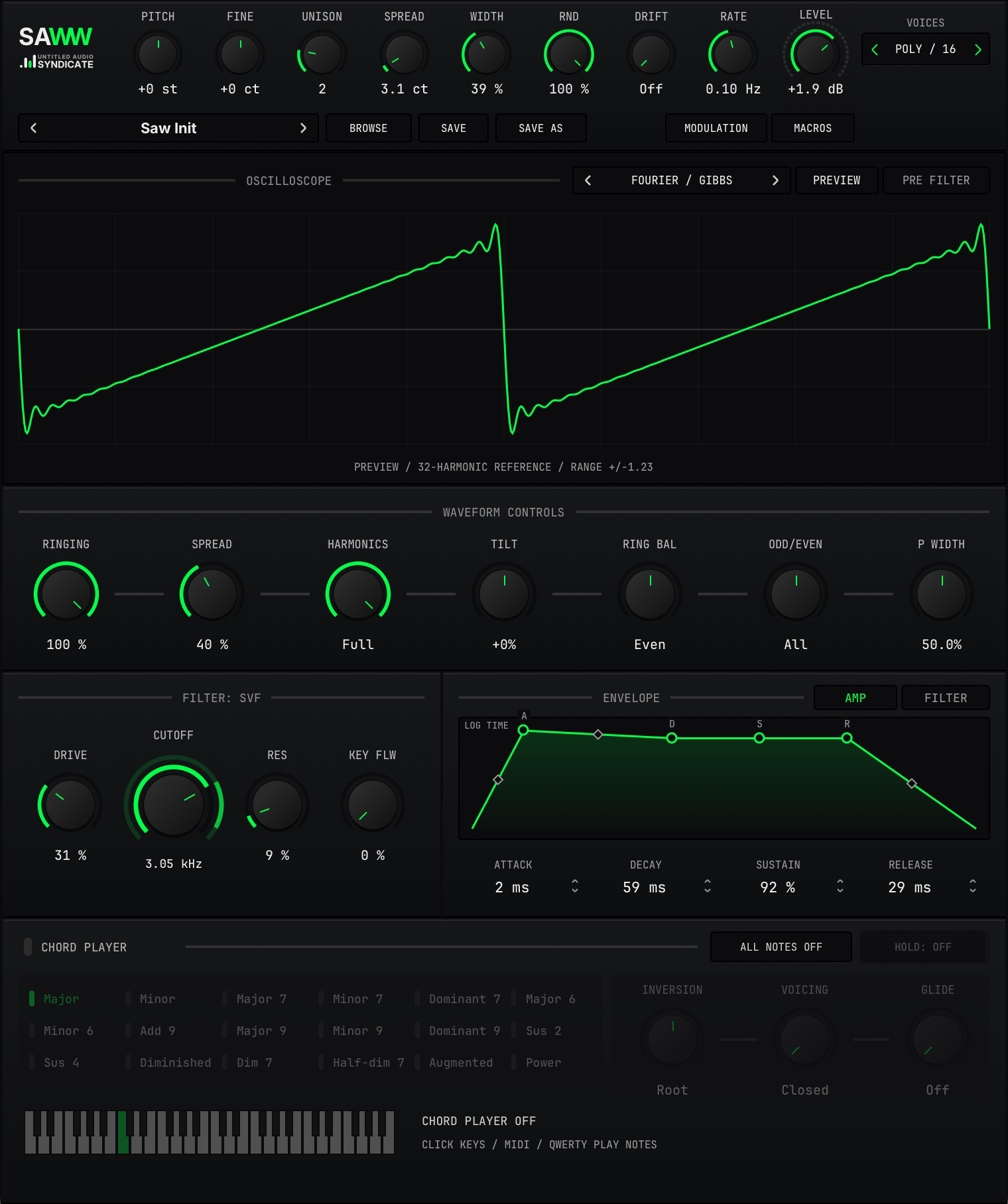
Each model has its own shaping controls. Change the model while notes are playing; the sound crossfades between them.
Shape the ringing around the saw’s reset. Adjust its amount, spread and balance, then use spectral tilt and harmonic limits to set the brightness.
A saw with softened upper harmonics and less overshoot. Smoothness moves from a sharp Fourier saw toward a more rounded spectrum.
A corrected rising ramp with its own character controls. Ramp Bend changes its curve; Reset Softness widens the transition at the reset.
An exponential charging curve with a softened reset. Move from concave through straight to convex, with a harmonic limit to shape the result.
Odd/Even balance and Pulse Width work across all four models. Move from the full saw spectrum toward odd or even harmonics, then shift the duty cycle for pulse-like shapes.
The live oscilloscope shows the oscillator before or after the filter. Switch to Preview to compare reference waveforms, with a time grid and fading traces to follow the movement.
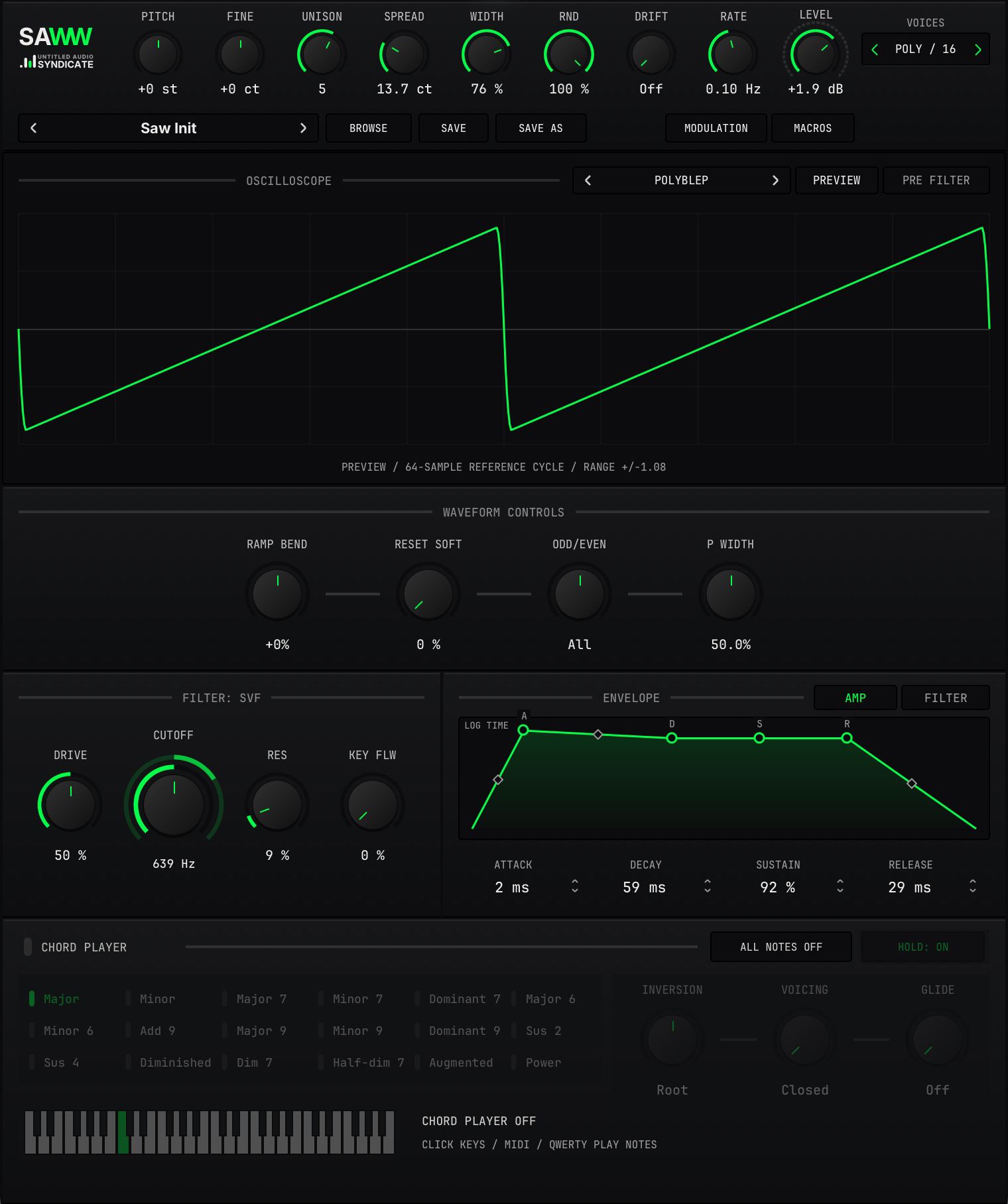
Stack up to eight oscillator layers per note. Detune them with Spread, place them across the stereo field with Width, and use RND to vary their starting phases.
Use Pitch and Fine to transpose or detune the whole patch. Unison works with every oscillator model. In mono, overlapping glides keep oscillator phases and envelopes running for connected phrases.
Choose a nonlinear low-pass model for your patch. Each note has its own stereo filter and cutoff envelope, including every tone generated by the chord player. Click the Filter heading in SAWW to switch models.
The Moog-style ladder model rolls off the upper harmonics more steeply. Try it on a bass or lead when you want to darken the saw while keeping a resonant edge.
The MS-style model gives resonant sweeps a different bite. Push Drive and Resonance to hear how it responds as you move Cutoff.
The state-variable model offers another low-pass response. Try it when you want to keep more of the saw’s upper harmonics as you bring the cutoff down.
Switch the graphical editor between Amp and Filter. Drag the ADSR nodes to set timing and sustain, then bend the segments from logarithmic through linear to exponential.
Drive sets how hard the signal hits the filter, and Key Follow moves Cutoff with the note’s pitch. A live cursor traces the envelope while the ring around Cutoff shows its modulation range.
Play SAWW from a MIDI track and automate its sound controls in your DAW. The same editor is available in VST3 and AU.
Give each note movement with LFOs and envelopes, then use macros to control several settings with a single gesture.
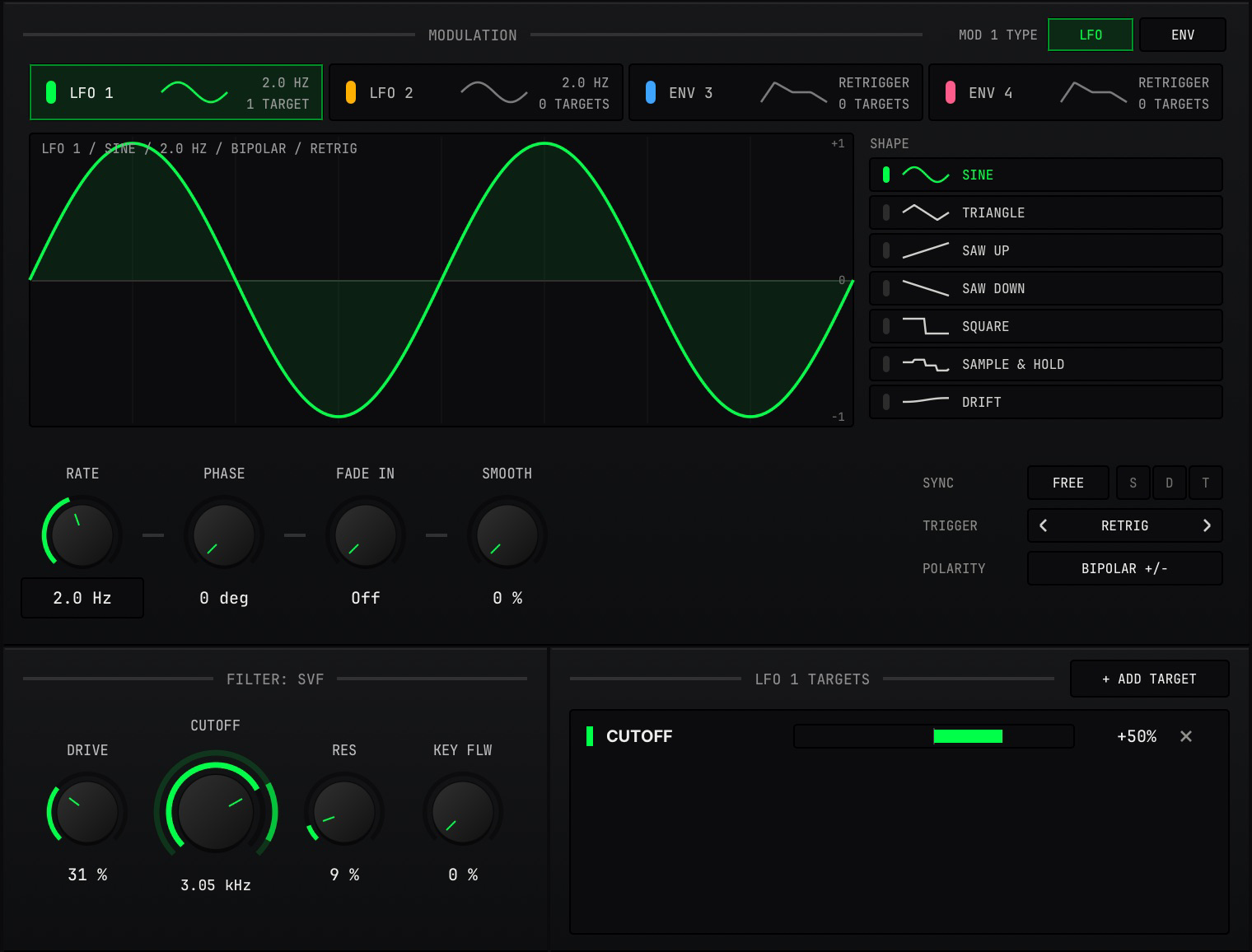
Set each slot to an LFO or an envelope. LFOs can run up to 1 kHz, track each note by a frequency ratio, or lock to tempo with straight, dotted and triplet divisions down to 1/128.
Share 16 routes across the slots. Animate cutoff, pitch or pulse width, or use one modulator to change another’s rate or the depth of a route.
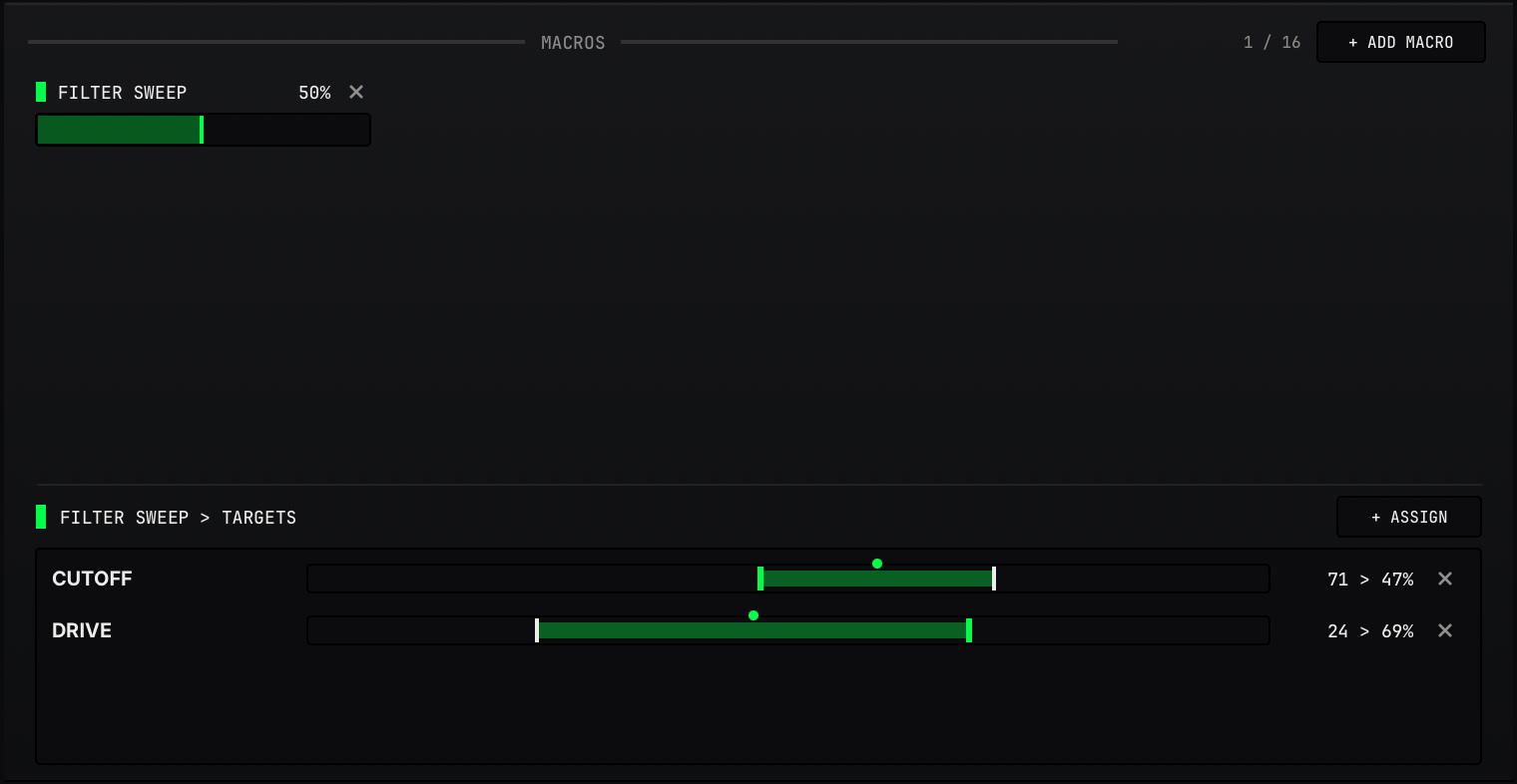
Name a macro, assign multiple parameters and set a separate range and direction for each. Bring up drive while pulling the cutoff down, or change several modulation amounts together.
Save the assignments with your patch and automate the macro controls in a VST3 host.
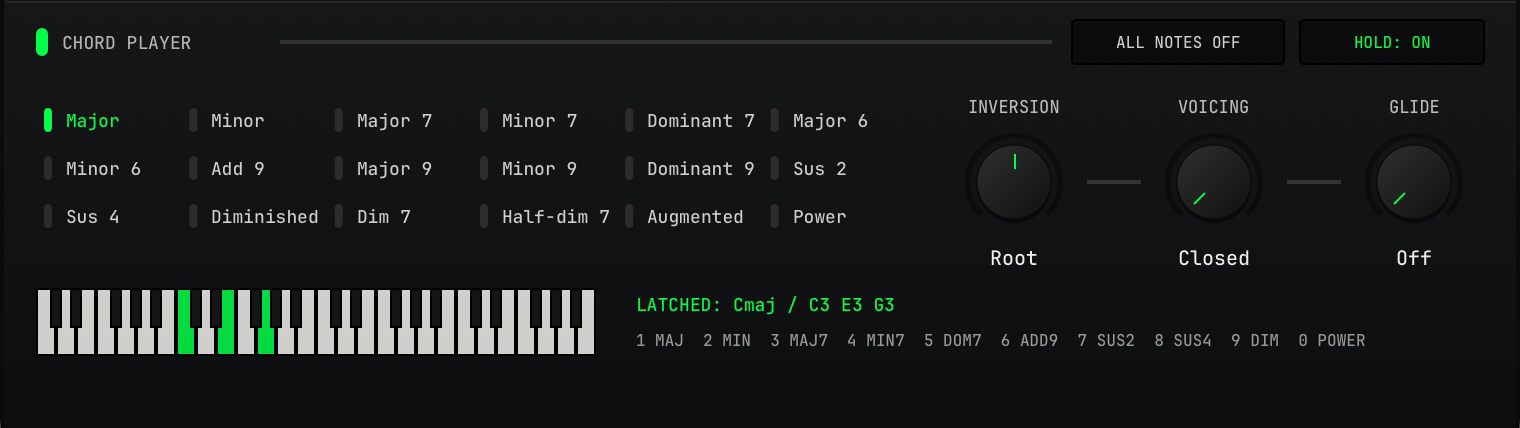
In Poly mode, play a single root from MIDI, your computer keyboard, or the on-screen keys. Choose from 18 chord shapes, set an inversion, and pick Closed, Open or Drop 2 voicing. The on-screen keyboard lights the resulting notes.
Chord tones share the instrument’s voice budget. In compatible VST3 hosts, route Chord MIDI Out to another track to play the generated notes on a second instrument.
SAWW opens with Saw Init, a lightly driven Fourier / Gibbs patch. Build from there and keep your sounds in the preset browser.
Use Save to update the current patch or Save As to create a copy. Browse by category, search by name or tag, and star your favourites.
A focused instrument for basses, leads, pads and chords, in your DAW.
No subscription. A license for SAWW.
Get SAWWActivate with your Syndicate website account. Work offline after activation; sign in again when renewal is required.